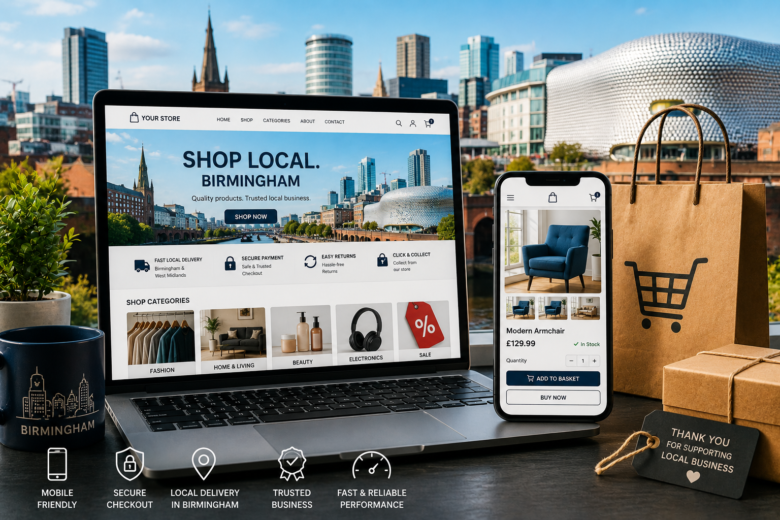
Building an e-commerce website in Birmingham requires more than adding products to a shopping cart and choosing an attractive colour scheme. A successful online shop must be easy to use, quick to load, trustworthy, mobile-friendly and visible to people searching for products in Birmingham and beyond.
Whether you sell fashion, food, furniture, beauty products, electronics or specialist services, your website should make every stage of the customer journey feel simple. From the first Google search to the final checkout confirmation, good e-commerce design removes confusion and encourages visitors to buy.
Here are the best practices for creating an effective e-commerce website in Birmingham.
Understand Your Birmingham Customers
Before designing your website, take time to understand who your customers are and what they expect from an online shopping experience.
Birmingham is a busy and diverse city with customers who may have very different needs. Some people may be searching for local delivery, while others may want to visit a physical shop, collect an order or compare several local businesses before buying.
Your website should reflect these different buying habits.
Consider questions such as:
- Are your customers mainly local Birmingham residents?
- Do you sell to customers across the West Midlands or the entire UK?
- Do people need products quickly?
- Would customers benefit from click-and-collect?
- Do you have a showroom, shop or service area?
- Are your customers likely to shop using a mobile phone?
- What concerns might stop someone from completing an order?
For example, a Birmingham-based furniture company may need to highlight delivery areas, estimated delivery times and local showroom information. A restaurant selling specialist food products may need to explain collection options, delivery zones and storage instructions.
Understanding these details helps you create a website that answers real customer questions instead of simply looking attractive.
Create a Clear and Simple Navigation
Visitors should be able to find the product they want without feeling lost. Complicated menus, unclear categories and too many options can quickly cause people to leave.
Use a straightforward navigation structure with clear categories. For example, a clothing store might use:
- Women
- Men
- Children
- Shoes
- Accessories
- Sale
- New arrivals
Keep the main menu visible and consistent across the website. Customers should not have to return to the homepage every time they want to explore another category.
A search bar is also essential, particularly if you sell a large range of products. Make it easy to see and place it near the top of the page. The search function should recognise common terms, spelling variations and product names where possible.
Filters can make browsing much easier. Depending on what you sell, customers may want to filter products by:
- Price
- Size
- Colour
- Brand
- Material
- Availability
- Customer rating
- Delivery time
Avoid adding filters that do not help customers make a decision. Too many unnecessary choices can make the shopping experience more difficult.
Design for Mobile Shopping
Many customers will visit your website using a mobile phone. If the mobile version is difficult to use, people may abandon their search before reaching the checkout.
A mobile-friendly e-commerce design should include:
- Large, easy-to-tap buttons.
- Readable text without zooming.
- Product images that fit smaller screens.
- Menus that are simple to open and close.
- Short forms with minimal typing.
- A checkout process that works smoothly on mobile.
- Payment options that are easy to use on a phone.
Do not assume that a website looks good on mobile just because it technically fits the screen. Test the complete buying journey on different devices. Open the menu, search for a product, select options, add an item to the basket and complete the checkout process.
Pay attention to small details. Buttons placed too close together can cause accidental clicks. Long product descriptions can become tiring to read. Pop-ups that cover the entire screen can make it difficult for customers to continue browsing.
The goal is to make mobile shopping feel natural and comfortable.
Use High-Quality Product Images
Customers cannot physically touch or examine products online, so images play a major role in their buying decision.
Use clear, high-quality images that show products from several angles. Include close-up images when texture, finish or detail matters. For clothing, show the item being worn where appropriate. For furniture, include images that show its size and appearance in a real setting.
Product images should be:
- Sharp and well-lit.
- Consistent in size and style.
- Properly compressed for faster loading.
- Available in several views.
- Accompanied by descriptive alternative text.
Avoid using blurry, poorly cropped or heavily edited images that do not accurately represent the product. Customers who receive something different from what they expected may lose trust in your business and leave negative reviews.
You can also use product videos, 360-degree views or zoom features when they add genuine value. These features are particularly useful for products where customers need to inspect detail before buying.
Write Helpful Product Descriptions
A good product description should do more than list basic specifications. It should explain what the product is, why it is useful and who it is suitable for.
Use plain language and organise information so customers can scan it quickly. Include:
- The main benefits.
- Key features.
- Dimensions or measurements.
- Materials and ingredients.
- Available sizes or colours.
- Care instructions.
- Delivery details.
- Warranty information.
- Important limitations.
Start with the information most likely to influence the buying decision. Customers should not have to read several paragraphs to find out whether an item is available in the correct size.
Avoid copying descriptions directly from suppliers or competitors. Unique descriptions are more useful to customers and give your website a better opportunity to appear for relevant searches.
For example, instead of writing:
“Premium cotton hoodie with a modern fit.”
You could write:
“Made from soft, mid-weight cotton, this Birmingham-designed hoodie is comfortable enough for everyday wear and warm enough for cooler evenings. It features a relaxed fit, ribbed cuffs and a front pocket for practical storage.”
The second description gives customers a clearer idea of the product and how it may fit into their lives.
Make Prices and Availability Obvious
Customers should immediately understand how much a product costs and whether it is available.
Display the price clearly near the product title and main image. If VAT is included, make that clear. If additional charges may apply, explain them before checkout rather than surprising customers at the final step.
Show important information such as:
- In stock.
- Low stock.
- Available for pre-order.
- Temporarily unavailable.
- Expected dispatch date.
- Delivery options.
- Collection availability.
Do not show a product as available if customers cannot actually order it. Incorrect stock information creates frustration and can damage your reputation.
If a product is out of stock, consider offering an email notification option. You can also recommend similar products rather than ending the customer journey completely.
Build Trust Through Strong Design
People are cautious when shopping with an unfamiliar business. Your website should provide clear signs that your company is legitimate, reliable and easy to contact.
Important trust signals include:
- A visible business name and contact details.
- A physical Birmingham address where appropriate.
- Customer reviews.
- Secure payment information.
- Clear returns and refund policies.
- Delivery information.
- Terms and conditions.
- Privacy information.
- Links to active social media profiles.
- Genuine product photography.
Make your contact information easy to find. A phone number, email address or contact form should not be hidden several clicks away.
Customer reviews can be especially helpful on product pages. Encourage customers to leave honest feedback and respond professionally to negative reviews. A thoughtful response can show potential buyers that your business takes customer service seriously.
Avoid using fake countdown timers, misleading discounts or aggressive pop-ups. These tactics may create short-term clicks, but they can make your website feel untrustworthy.
Simplify the Checkout Process
A complicated checkout is one of the most common reasons customers fail to complete an online purchase.
Keep the checkout focused and remove unnecessary distractions. Customers should know exactly where they are, what they are buying and how much they will pay.
A simple checkout should include:
- Basket review.
- Delivery details.
- Payment details.
- Order confirmation.
Allow customers to buy as guests unless creating an account provides a clear benefit. Forcing registration can discourage first-time buyers.
Keep forms short and use sensible field settings. For example, allow customers to select their Birmingham postcode area from a standard address lookup when possible. Make error messages clear and explain exactly how to correct a problem.
Show the full cost before payment, including:
- Product price.
- Delivery charges.
- VAT.
- Discounts.
- Additional fees.
Offer trusted payment options such as debit cards, credit cards, digital wallets and other payment services relevant to your customers. Make sure payment pages use secure connections and display familiar security indicators.
Offer Convenient Delivery and Collection
Delivery can strongly influence whether someone completes an order. Customers want to know when their items will arrive, how much delivery costs and what happens if they are not available.
For a Birmingham e-commerce business, consider offering several options where practical:
- Standard UK delivery.
- Express delivery.
- Local Birmingham delivery.
- Click-and-collect.
- Collection from a shop or warehouse.
- Delivery time slots.
- Free delivery above a minimum order value.
Explain delivery areas in plain language. If local delivery only covers certain Birmingham postcodes, list them clearly. If you deliver throughout the West Midlands, explain the areas included.
Provide realistic delivery estimates rather than promises you cannot guarantee. Customers are generally more understanding of a longer delivery period when the information is clear from the beginning.
After an order is placed, send confirmation and tracking details. Good communication reduces customer enquiries and helps buyers feel confident about their purchase.
Make Accessibility a Priority
An accessible website is easier for everyone to use, including people with visual, hearing, physical or cognitive disabilities. It can also improve the general user experience.
Aim to design your website around recognised accessibility principles, including the WCAG guidelines. Practical improvements include using sufficient colour contrast, adding descriptive image alternative text, supporting keyboard navigation and using clear form labels. Automated tools can identify some problems, but manual testing is also important because accessibility issues are not always detected automatically.ukwebmarketing
Use headings in a logical order and avoid using colour as the only way to communicate information. For example, do not identify a sale item only with red text. Add a label such as “Sale” so the message remains clear to all visitors.
Make buttons descriptive. “Add to basket” is more helpful than “Click here”. Error messages should explain the problem in a friendly way, such as “Please enter a valid email address”.
Accessibility is not just a technical task to complete once. Test your website regularly as you add new products, features and marketing campaigns.
Improve Website Speed
Slow websites can frustrate customers and reduce sales. A page that takes too long to load may be abandoned before the visitor even sees the main product image.
To improve e-commerce performance:
- Compress images before uploading them.
- Use modern image formats where supported.
- Remove unnecessary plugins and scripts.
- Choose reliable website hosting.
- Reduce large video files.
- Use browser caching.
- Keep code clean and efficient.
- Test pages on mobile connections.
Pay particular attention to pages that receive the most traffic, such as the homepage, category pages and product pages.
Speed should not come at the expense of useful information. Instead, remove unnecessary features and optimise the elements that matter most to customers.
Use Local SEO for Birmingham
A well-designed website should be easy for both people and search engines to understand. Local SEO can help your business appear when people search for relevant products or services in Birmingham.
Use location naturally in important areas such as:
- Page titles.
- Meta descriptions.
- Main headings.
- Service or delivery pages.
- Contact pages.
- Product category content.
- Image alternative text where appropriate.
Do not add “Birmingham” repeatedly to every sentence. Keyword stuffing makes content difficult to read and can reduce trust. Use natural phrases such as “Birmingham home delivery”, “independent Birmingham gift shop” or “clothing store serving the West Midlands” when they accurately describe your business.
Create useful local content when it helps customers. Examples include:
- A Birmingham delivery guide.
- A click-and-collect page.
- Information about visiting your shop.
- A guide to products made in Birmingham.
- Seasonal shopping guides for local customers.
- Answers to common delivery questions.
Ensure your business details are consistent across your website and relevant online directories. If you have a physical location, include opening hours, directions and accurate contact information.
Add Product Structured Data
Structured data helps search engines understand important information about your products. Depending on eligibility and implementation, product information may include details such as price, availability, ratings and other shopping-related information.
Google recommends following its product structured data guidelines, validating the markup and checking how pages are accessed and interpreted. It also advises ensuring that pages are not blocked by robots.txt, noindex instructions or login requirements.developers.google
For product pages, make sure structured data matches what customers can actually see. Prices, currency, availability and product details should remain accurate. Incorrect markup can create confusion and may prevent enhanced search appearances.
Use a structured data testing tool after implementation and check the markup whenever product templates change.
Provide Useful Internal Search Features
Customers who use your internal search function often have a strong buying intention. Help them find the right product quickly.
A useful search system should:
- Display relevant results.
- Recognise alternative spellings.
- Suggest products while the customer types.
- Handle singular and plural terms.
- Show a helpful message when there are no results.
- Recommend related products.
- Allow filtering and sorting.
For example, if someone searches for “trainers”, your website should not show a blank page simply because some products are labelled “sneakers”. You can improve search performance by reviewing the terms customers use and adding suitable synonyms.
Analyse internal search data regularly. It can reveal products people want, questions they have and categories that may need clearer labels.
Use Calls to Action Carefully
Every important page should guide customers towards the next step. Product pages may use “Add to basket”, category pages may use “Shop now” and information pages may encourage visitors to contact your team.
Calls to action should be visible without being aggressive. Use clear wording and make buttons easy to identify.
Avoid placing too many competing buttons on one page. If every element demands attention, customers may not know what to do next.
Use a consistent button style throughout the website. Visitors should quickly recognise which elements are clickable and which are simply informational.
Test and Improve the Website
E-commerce design should not be treated as a one-time project. Customer behaviour changes, products change and new technical issues can appear over time.
Review your website regularly and monitor:
- Product page visits.
- Add-to-basket rates.
- Checkout abandonment.
- Search terms.
- Mobile performance.
- Top-selling products.
- Most common customer questions.
- Returns and refund requests.
- Delivery-related complaints.
Test important changes before applying them across the entire site. You may compare two versions of a product page, button label or checkout layout to see which performs better.
Ask real customers or colleagues to complete common tasks. Give them instructions such as “Find a product under £50 and place an order for delivery in Birmingham.” Watch where they hesitate or make mistakes.
Small improvements can make a significant difference. A clearer delivery message, better product image or shorter checkout form may help more than a complete visual redesign.
Combining Visuals with User Experience
The best e-commerce website design in Birmingham combines attractive visuals with practical user experience. Customers should be able to find products easily, understand the costs, trust the business and complete their order without unnecessary effort.
Focus on mobile usability, clear navigation, helpful product content, fast performance, accessible design, local SEO and a simple checkout. Make delivery and collection details easy to find, support your claims with genuine reviews and keep product information accurate.
A successful online shop does not need to be complicated. It needs to understand what customers are looking for and make the path to purchase as smooth as possible.